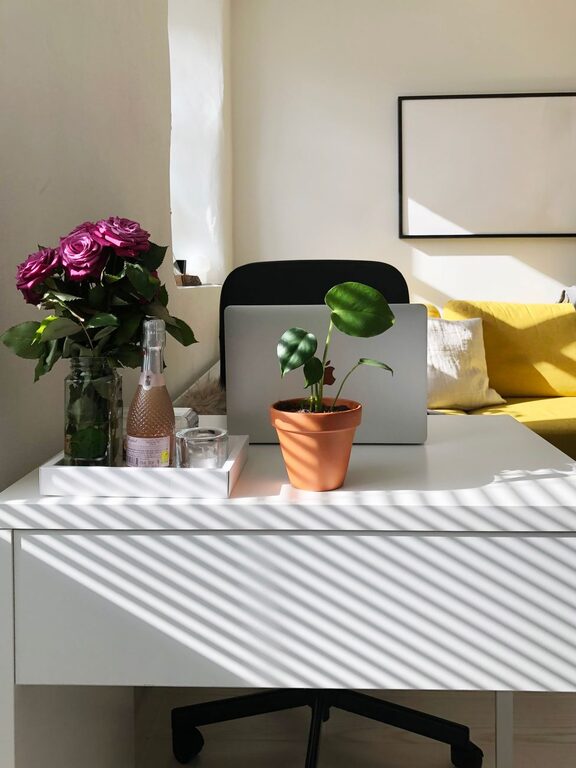

Working from home has become increasingly common, and having a well-organized workspace is essential for maintaining focus and productivity. A dedicated, tidy, and comfortable area can help separate work time from personal time and make daily tasks easier and more enjoyable. Here are some helpful tips to organize a productive home workspace.
Choose the Right Location
Start by selecting a space that minimizes distractions. Ideally, this would be a quiet corner or a spare room away from heavy foot traffic. If you don’t have a separate room, consider using room dividers or a specific part of a room as your designated workspace. Natural light is a bonus, so try to position your desk near a window, which can boost mood and energy.
Invest in Ergonomic Furniture
Comfort plays a big role in productivity. Choose a desk and chair that support good posture. An adjustable chair with lumbar support prevents back strain, while a desk at the right height keeps your arms and wrists comfortable during long work sessions. Consider using a footrest or an ergonomic keyboard if you frequently use a computer.
Declutter and Organize Your Desk
A clean desk helps keep your mind clear. Limit your workspace items to what you use daily. Use organizers such as trays, drawer dividers, or desk caddies to keep pens, papers, and accessories in order. Regularly sort through your desk to discard unnecessary items and avoid piles of clutter building up.
Optimize Storage Solutions
Having adequate storage nearby makes it easier to keep your workspace tidy. Shelving units, filing cabinets, or portable storage carts can hold documents, books, and supplies. Label storage containers for quick access and to maintain order over time.
Manage Cables and Electronics
Messy cables can be distracting and create unnecessary stress. Use cable clips, ties, or sleeves to bundle wires neatly. Position your computer and other electronics to minimize cords crossing your workspace. Wireless devices can also reduce clutter and improve safety.
Personalize Your Space Mindfully
Adding personal touches like a plant, artwork, or photos can make your workspace inviting. However, keep decor simple and meaningful to avoid distractions. Plants, for example, can improve air quality and elevate your mood.
Set Up Good Lighting
Proper lighting reduces eye strain and keeps you alert. Combine natural light with adjustable task lighting like a desk lamp. Avoid placing your screen directly in front of or behind bright windows to reduce glare.
Create a Routine and Boundaries
Organizing your workspace includes how you use it. Set consistent working hours and communicate your schedule to household members. Keep work materials in your designated space and tidy up at the end of each day to create a clear boundary between work and personal time.
Use Technology to Stay Organized
Digital tools can complement your physical setup. Use calendar apps, to-do lists, and project management software to keep track of tasks and deadlines. Back up important files regularly to avoid losing vital information.
Take Breaks and Move
Even with a perfectly organized workspace, it’s important to take breaks. Stand up, stretch, or walk around every hour to stay refreshed and avoid fatigue. Incorporating movement helps maintain focus and overall well-being.
—
By thoughtfully organizing your home workspace, you can improve your productivity and make working from home an enjoyable experience. With the right location, furniture, storage, and habits, you will create a space that supports your best work every day.