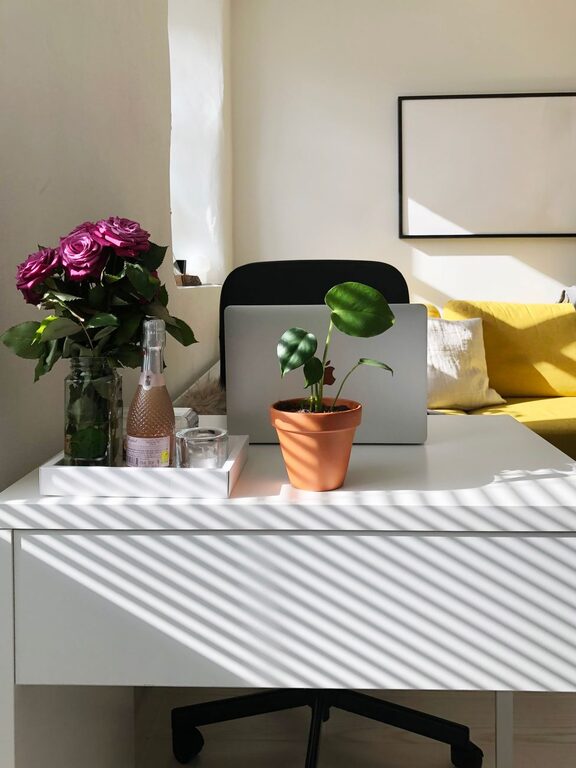
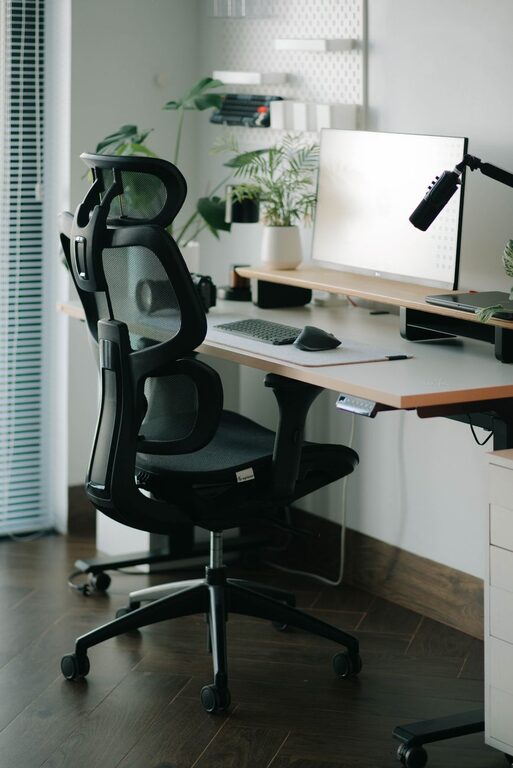
Creating a home workspace that is both cozy and productive is a goal many people share, especially as remote work and flexible schedules become more common. A well-designed space can help you stay focused, reduce stress, and even inspire creativity. At the same time, comfort makes it easier to spend long hours working without feeling drained. This post will guide you through practical tips to achieve a balance between coziness and productivity in your home office.
Choose the Right Location
Find a Quiet Spot
Start by selecting a location in your home that is as quiet as possible. Noise distractions can interrupt your focus and lower your efficiency. If possible, choose a separate room where you can close the door, but if space is limited, a corner in a less busy area works too.
Natural Light Matters
Natural light not only brightens up your space but also boosts mood and alertness. Position your desk near a window if you can. Make sure to manage glare with blinds or curtains to keep your screen easy on the eyes.
Prioritize Ergonomics
Comfortable Seating
Invest in a quality chair with good lumbar support. Sitting comfortably helps prevent back pain and improves your posture, which is essential for long work sessions.
Desk Setup
Your desk should be at a height where your arms rest comfortably, and your feet can touch the floor. Consider using a footrest if needed. Position your monitor at eye level to avoid neck strain.
Organize Efficiently
Declutter Regularly
A clutter-free desk helps reduce distractions and can make you feel calmer. Keep only essential items within reach and have storage options like drawers or shelves to stow away paperwork and supplies.
Use Organizers
Desk organizers, cable management tools, and filing systems keep your workspace tidy and efficient. Label drawers or containers for easy access to what you need.
Add Cozy Elements
Soft Textiles
Incorporate a comfortable rug, cushions, or a throw blanket to add warmth and softness to your space. These elements make your workspace inviting without being distracting.
Personal Touches
Decorate with plants, artwork, or items that inspire you. Greenery can improve air quality and reduce stress, while personal mementos add character and motivation.
Manage Lighting Wisely
Layer Lighting
Combine natural light with layered artificial lighting. Task lighting such as a desk lamp helps when working after dark, while ambient light softens the overall atmosphere.
Avoid Harsh Lighting
Choose warm bulbs instead of overly bright or cool lighting. This creates a welcoming environment and reduces eye strain.
Set Boundaries
Separate Work and Relaxation
Even if your workspace is part of a shared room, try to mentally and physically separate work time from relaxation time. Use a room divider or a dedicated desk that signals work mode.
Establish Work Hours
Set clear start and end times for your workday to help maintain balance and prevent burnout.
Technology and Tools
Reliable Equipment
Ensure your computer, internet connection, and other tools are dependable. Technical interruptions can be frustrating and disrupt productivity.
Keep Essentials Handy
Have notebooks, pens, chargers, and other necessities close at hand to avoid interrupting your workflow.
Encourage Movement and Breaks
Stretching Spot
Keep space nearby for simple stretches or movements to reduce stiffness.
Take Breaks Regularly
Follow the practice of stepping away from your desk periodically. This can refresh your mind and improve overall productivity.
—
Creating a cozy and productive home workspace is about balancing comfort with functionality. By choosing the right location, organizing efficiently, adding personal touches, and prioritizing ergonomics, you can build an environment where work feels natural and enjoyable. Remember, the ideal workspace reflects your personal needs and style, so feel free to adapt these tips to what works best for you.